Curl + openssl + zlib
curl + openssl 에서 curl 이 openssl 을 쓰므로, openssl 부터 크로스 컴파일을 해야한다.
한번에 openssl 과 curl 을 컴파일 해도 되겠지만, 차근차근 openssl 부터 크로스 컴파일 하고 해당타겟보드에서 작동되는지 확인하면서 넘어가야 꼬이더라도 덜 고생한다.
git clone https://github.com/openssl/openssl.git
cd openssl
./buildconf
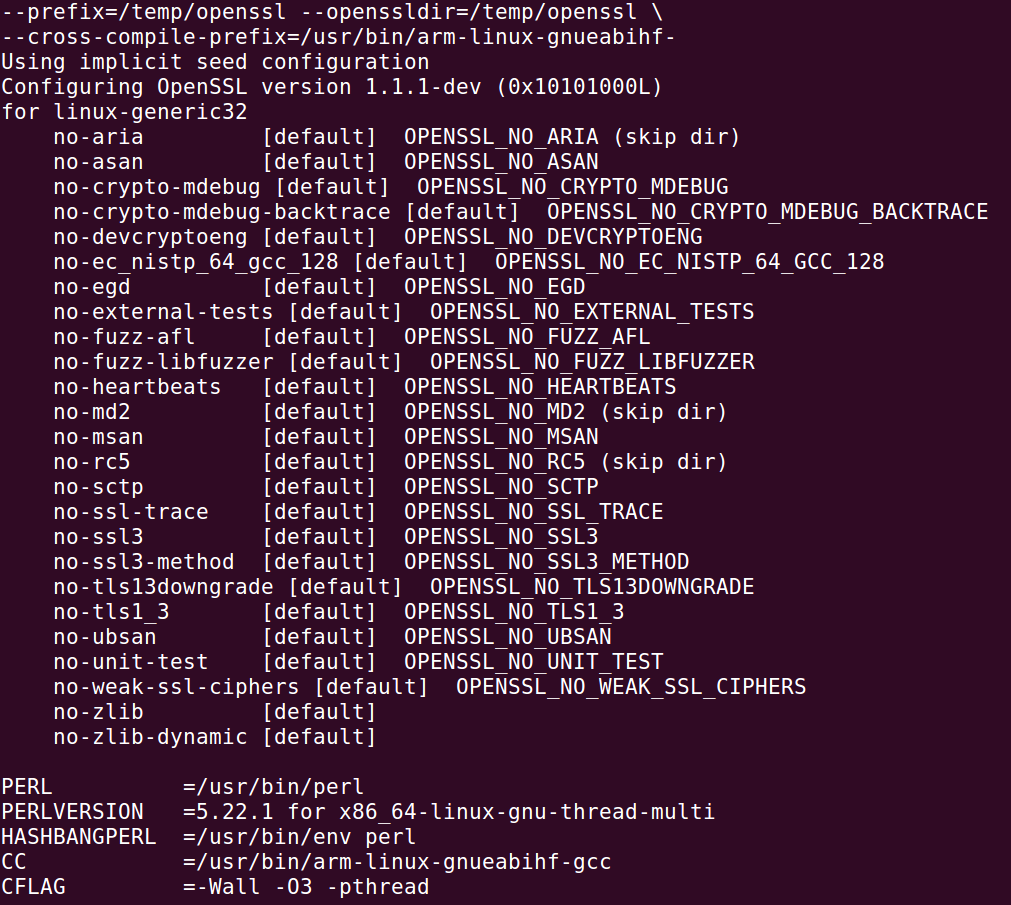
./Configure linux-generic32 --prefix=/tmp/openssl --openssldir=/tmp/openssl --cross-compile-prefix=/usr/bin/arm-linux-gnueabihf-

Configure 이 된 상태를 확인하고,
make && make install
하면 /tmp/openssl 에 빌드된 내용이 들어간다./
/tmp/openssl 을 통채로 압축 후, 타겟보드에 전송해서 실행해본다.


하지만 libssl.so.1.1 과 같은 shared library 에서 OPENSSL 1.1.1 을 찾을 수 없다고 나온다.
pi@raspberrypi:~/openssl/lib $ sudo cp libcrypto.so.1.1 /usr/lib/arm-linux-gnueabihf/
pi@raspberrypi:~/openssl/lib $ sudo cp libssl.so.1.1 /usr/lib/arm-linux-gnueabihf/
pi@raspberrypi:~/openssl/lib $ cd ../bin
pi@raspberrypi:~/openssl/bin $ ./openssl help
 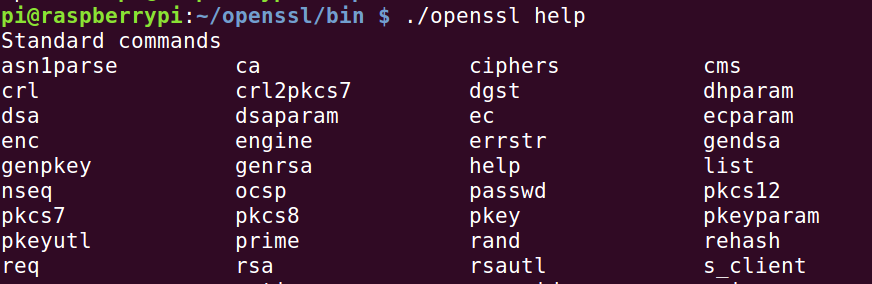
위와 같이 정상 작동됨을 볼 수 있다.
zlib
git clone https://github.com/madler/zlib.git
cd zlib
CHOST=arm-linux-gnueabihf ./configure --prefix=/tmp/zlib
make
make install
curl
위 과정을 마치면 디렉토리 구조는 다음과 같다.
/
▾ tmp/
▾ openssl/
▸ bin/

▾ lib/

  ▸ engines-1.1/

  ▸ pkgconfig/

    libcrypto.a

    libcrypto.so\* -> /tmp/openssl/lib/libcrypto.so.1.1

    libcrypto.so.1.1\*

    libssl.a

    libssl.so\* -> /tmp/openssl/lib/libssl.so.1.1

    libssl.so.1.1\*
▾ zlib/
▾ include/

    zconf.h

    zlib.h

▾ lib/

    libz.a

    libz.so\* -> /tmp/zlib/lib/libz.so.1.2.11

    libz.so.1\* -> /tmp/zlib/lib/libz.so.1.2.11

    libz.so.1.2.11\*
curl cross-compile 할 준비가 되었다.
export TARGETDIR="/tmp"
cd curl-7.37.1/
export CROSS_COMPILE="arm-linux-gnueabihf"
export CPPFLAGS="-I/tmp/openssl/include -I/tmp/zlib/include"
export LDFLAGS="-L/tmp/openssl/lib -L/tmp/zlib/lib"
export LIBS="-lssl -lcrypto"
./configure --prefix=${TARGETDIR}/build --target=${CROSS_COMPILE} --host=${CROSS_COMPILE} --build=i586-pc-linux-gnu --with-ssl --with-zlib
위와 같은 bash script 작성후 실행하게 되면
/tmp/build 로 가보면
다음과 같은 디렉토리 구조를 볼 수 있다.
▾ tmp/
▾ build/
▸ bin/
▸ include/
▸ lib/
▸ share/
타겟보드로 전송하여 테스트해보자.
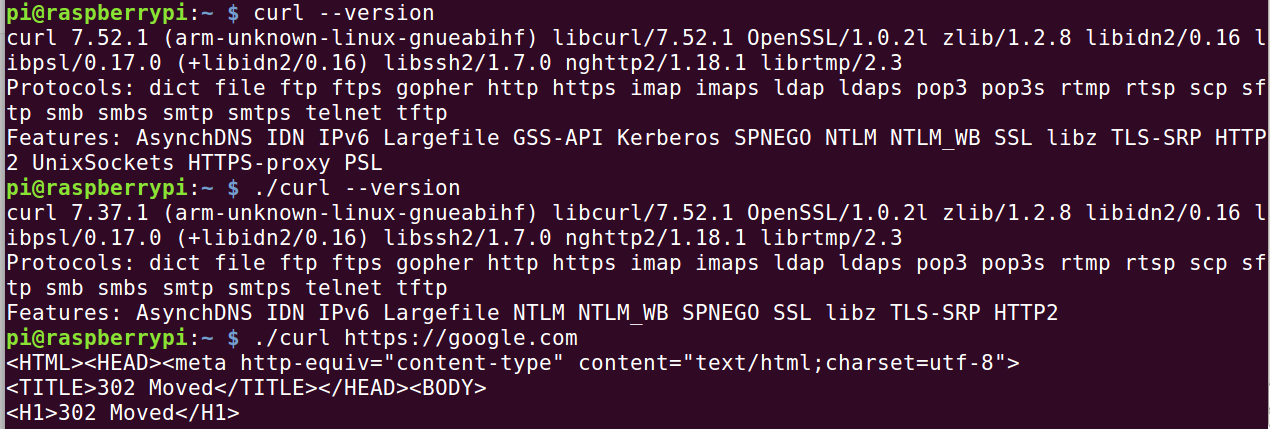 

위 화면은 원래 raspberry pi 에 있던 curl 과 cross-compile 과의 비교를 위해 curl 과 ./curl 을 실행시킨 모습이다.
해결하지 못한 문제
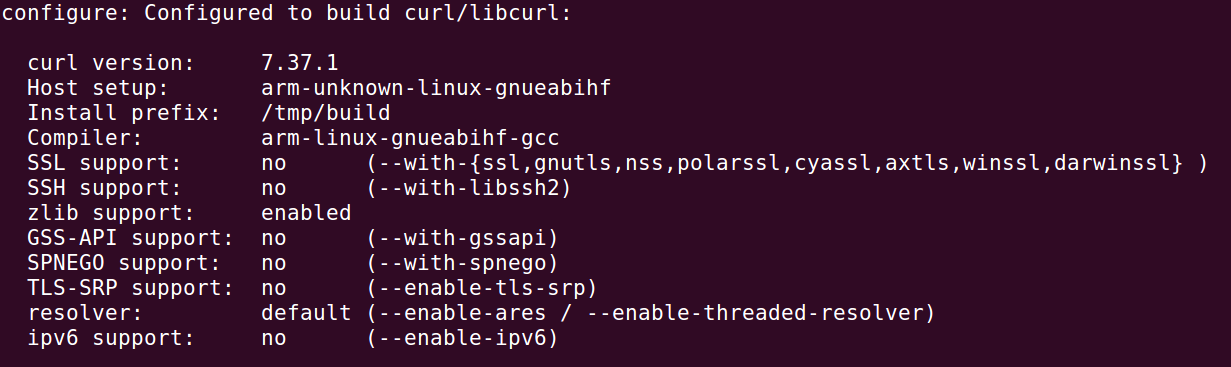

Features 를 보면 SSL 이 뜨고 실제 테스트에서도 https 까지 확인을 했는데, configure 결과에 SSL support: no 라고 뜬다.
crypto, ssl 문제로 많이 찾아봤는데 해결 못하였다.